


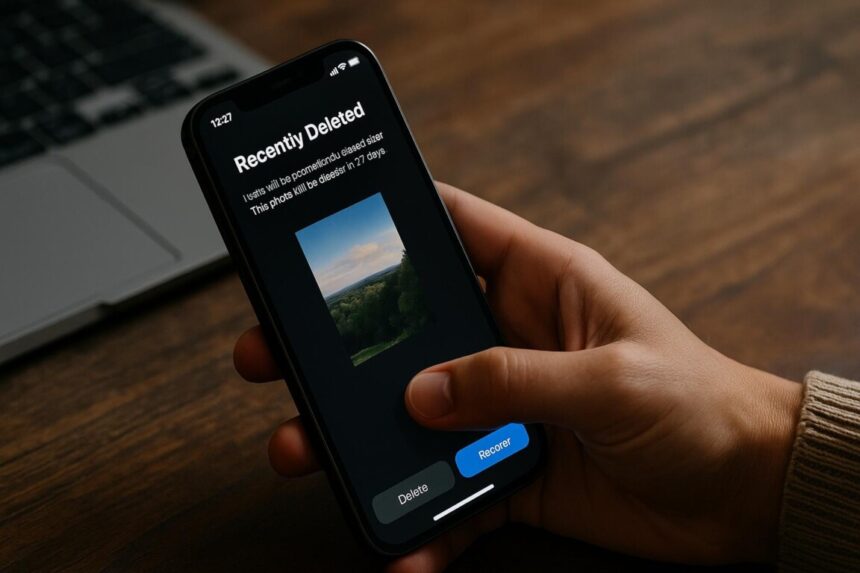
You take a picture, look at it, decide you do not like it and tap Delete. Within seconds, it disappears from your gallery. You move on, satisfied that the photo is gone.
But what if it is not?
Perhaps the photo is sitting in a Recently Deleted folder. Maybe another copy exists in a cloud account, on a laptop or on another phone. If you shared it with someone, that person may still have it, even after you delete your own copy.
Deleting a file feels final because the phone responds immediately. The image disappears from view, and there is no obvious sign that anything remains. Yet the process behind that simple action can be more complicated than it appears.
The truth is that deleting something from your phone and removing every copy of it are two different things.
The first place deleted files go
On many smartphones, deleting a photo does not immediately remove it permanently. Instead, the phone’s gallery app or photo service may move it into a folder called Recently Deleted or Trash.
Think of it as a temporary holding area. You can recover the photo if you change your mind, but the file remains available until you permanently delete it or the service removes it according to its retention policy.
On iPhones, for example, the Photos app has a Recently Deleted album. Google Photos also provides a Trash folder for deleted items. The rules differ depending on whether an item has a backup, how it was deleted and which service stores it.
This explains why someone might delete a photograph, open the Recently Deleted folder and find it waiting there.
But where does the file go when it does not enter a Trash folder?
In many cases, it does not go anywhere in the way people imagine. Instead, the phone’s file system removes its entry from the list of accessible files and marks the storage space it occupied as available for reuse. The underlying data may remain temporarily, even though the phone no longer displays the file as something the user can open.
Think of a library catalogue. Removing a book’s entry does not automatically destroy the book itself. It simply removes the record that helps people locate it. The comparison is not exact, because phones also manage encryption and storage differently, but it helps explain why a file can disappear from view before every trace of its data has been removed.
The distinction matters because many people assume that once a picture disappears from their main gallery, it no longer exists on the device. In reality, the first deletion may simply move it somewhere less visible or remove the file’s normal access route.
When your phone has more than one copy
The situation becomes more complicated when cloud storage enters the picture.
Services such as iCloud Photos and Google Photos can synchronise photographs across devices. A picture taken on a phone may also appear on a tablet, another phone or a computer linked to the same account.
Depending on the service and its settings, deleting a synchronised photograph can remove it from other connected devices as well. However, separate downloads, exported files, independent backups and copies shared with other people may remain.
Imagine taking a photograph on your phone, backing it up online and downloading it onto your laptop. You then delete the picture from your phone.
That action alone does not guarantee that the laptop copy has disappeared. Nor does it establish whether the cloud service still retains the item in its Trash or whether another backup contains it.
This is why checking only the phone’s gallery may not tell the whole story. A file may disappear from one location while another copy remains somewhere else.
What happens when you delete a message?
Photographs are only part of the issue. Messages, voice notes, documents and other files can also leave copies in different places.
Consider a message sent to a friend. You delete the conversation from your phone because you no longer want it in your chat history.
Your action does not automatically erase the message from your friend’s device. The recipient may still have the conversation, a screenshot or a copy of an attachment you sent.
Messaging applications also have different deletion options. Some allow users to delete a message for everyone, subject to the app’s rules and limitations. Others distinguish between deleting a conversation locally and managing backups.
Even when a message disappears from a chat, other copies may survive elsewhere.
The important lesson is that deleting your copy does not give you control over every copy of the same information.
Can a deleted file still be recovered?
This is where the subject becomes particularly interesting.
When a device deletes a file, its storage system may mark the space occupied by that file as available for reuse. On some storage systems, the underlying data can remain until other information overwrites it.
This is one reason data recovery tools sometimes retrieve files that users believe they have deleted.
However, this does not mean every deleted photograph can be recovered. Modern smartphones use flash storage, encryption and storage management techniques that can make recovery difficult or impossible. The outcome depends on the device, its settings, the storage technology and the way the file was deleted.
A file may also remain in an app’s temporary storage, a backup or another location entirely. Finding it there is different from recovering the original data from the phone’s storage.
There is no universal rule that every deleted file remains recoverable, just as there is no guarantee that every deletion immediately destroys all traces of the file.
How is something permanently deleted?
Permanently deleting a file involves more than making it disappear from the screen.
When you empty the Trash or Recently Deleted folder, the app removes the file from its normal recovery area. The operating system may then release the storage space for reuse. However, this action does not necessarily mean that every physical trace of the data disappears immediately.
On some storage systems, deleted information can remain until the system overwrites or otherwise clears it. On modern smartphones, flash-memory management and encryption complicate this process. The phone may reuse storage space or manage the underlying data in ways that make conventional recovery ineffective.
Encryption provides another layer of protection. It scrambles stored information so that someone cannot normally read it without the required encryption keys. When a properly implemented erasure process destroys or invalidates the necessary keys, the encrypted data can become effectively unrecoverable, even if remnants remain on the storage.
This is one reason a manufacturer’s supported factory reset process can offer stronger protection than manually deleting individual files and photographs.
However, permanently deleting a file from one app does not guarantee that every copy has disappeared from cloud storage, backups, another device or someone else’s phone. Those copies must be considered separately.
In practical terms, permanent deletion means removing the file from its normal recovery options and, when secure erasure is required, ensuring that the remaining data cannot reasonably be recovered. The exact process depends on the device, the storage technology, the app and the deletion method.
The mistake people make when selling old phones
The difference between deletion and permanent removal becomes especially important when someone sells, gives away or disposes of an old smartphone.
Deleting photographs, clearing chats and removing a few applications may make the phone look clean. But these actions are not a substitute for properly preparing the device for another owner.
Before handing it over, users should back up any information they want to keep, sign out of accounts where appropriate, remove account locks as required and use the manufacturer’s supported factory-reset or erase all content procedure.
A properly implemented factory reset on a modern encrypted phone is designed to protect the previous owner’s data. Nevertheless, users should follow the manufacturer’s instructions for their specific device rather than assume that manually deleting files is enough.
They should also check whether sensitive documents or photographs exist in separate cloud accounts, memory cards or other devices.
The aim is not to create fear about selling a used phone. It is to understand that protecting personal information requires more than emptying a gallery.
So, when is something really gone?
There is no single answer for every file or every phone.
A photograph may remain in a temporary deletion folder. A cloud service may retain it according to its deletion policy. A recipient may still possess a copy. In other circumstances, encryption and storage management processes may make the original data effectively unrecoverable.
The safest approach is to understand where information lives before assuming that deleting it has removed every copy.
Check the relevant Trash or Recently Deleted folder. Review cloud sync and backup settings. Consider files stored on other devices and copies shared with other people. When disposing of a phone, use the manufacturer’s recommended erasure procedure.
Most importantly, remember that privacy does not depend only on what appears on your screen.
Every day, people delete photographs, conversations and documents without giving the process a second thought. That is understandable; the phone makes deletion look simple.
But the digital world rarely works through a single action alone.
Sometimes, the file really is gone. Sometimes, another copy remains. And sometimes, the answer depends on where you look.
The question is not simply whether you deleted it. It is what, exactly, you deleted and where the other copies went.